Integration Details
Attendance Counts has a comprehensive integration with ADP Workforce Now® encompassing almost every aspect of timekeeping, including employee schedules, punches, pay codes, timecard comments and notes, employee master data, pay cycles, payclasses, and labor levels. Attendance Counts picks up personnel changes such as new hires, rehires, role-changes and terminations, as well as department and location changes. Even “after-the-fact” edits to the ADP timecard are captured, including schedule changes, punch changes and “historic” edits.
- Data syncs happen nightly by default and can be initiated “on-demand” at any time. Changes to timecard activity that impact point balances can be made in either solution (AC or WNF), depending on which best suits your own workflow.
- Attendance Counts supports SSO with ADP for Admins, Supervisors and self-service users. Attendance Counts supports a variety of “roles” to accommodate different types of users, so that each user has access only to what they need. For users with update access, any changes made in Attendance Counts are recorded and retained with a permanent audit trail.
Applications Integrated
- • ADP Workforce Now® (current version)
- • ADP TotalSource®
Integration Type
- • Bi-directional data exchange
- • Single Sign-On (SSO)
- • Buy now
Application Type
- Data Connector and End User
Data Sync Frequency
- Nightly and anytime on-demand
Data Fields
- The following data fields will be read by Attendance Counts:
• Paycycles (paycycle names, status, interval, start & end dates)
• Timecard Data (absences, punches, totals, earnings codes, exceptions, etc.)
• Employee Masterfile Data (status, role, location, department, shift, pay class, etc.)
• Employment Dates (hire date, rehire date, termination date, termination reason)
• Approved Time Off (scheduled time off, leave hours)
• Timecard Notes (timecard comments, row notes, punch notes)
• Schedule Data (daily schedules, meal plans, scheduled time off, etc.) - The following data fields will be sent from Attendance Counts to ADP:
• Point Balances
• FMLA Balances
• Custom Calculated Balances (on request)
Attendance Tracking
At Metropolitan Software, attendance tracking isn’t just our core competency – it’s our passion. Our engineers eat, sleep and breathe attendance. They will understand your policy and its complexities. They will get your implementation right the first time. Every time.
Here's how it works
- Attendance Counts captures schedule and punch data from ADP Workforce Now, calculates timecard exceptions, and applies points to incidents based on their type and duration. Your policy might specify that tardy punches up to 10 minutes are worth a half-point, while longer tardies are given a full point. Long meal and early out exceptions might be on a different scale entirely.
- Once the points are applied, they accrue in a tracking period that you specify, and Attendance Counts alerts you when your policy rules are triggered. You might have a rule, for example, which triggers a written counseling when employees reach four points in a rolling 12-month period. Another rule might reward employees achieving 90 days of perfect attendance by dropping a point from their record. You could have other rules that track missed punches or No Call/No Shows, and a further set of rules that only apply to probationary employees.
- Our rule engine continuously processes timecard data and triggers alerts based on your policy. Alerts can be associated with customizable notices that can be printed or emailed right from the software. If you elect to use our integrated “eSignature” feature, the notices can be sent by email or SMS for signature.
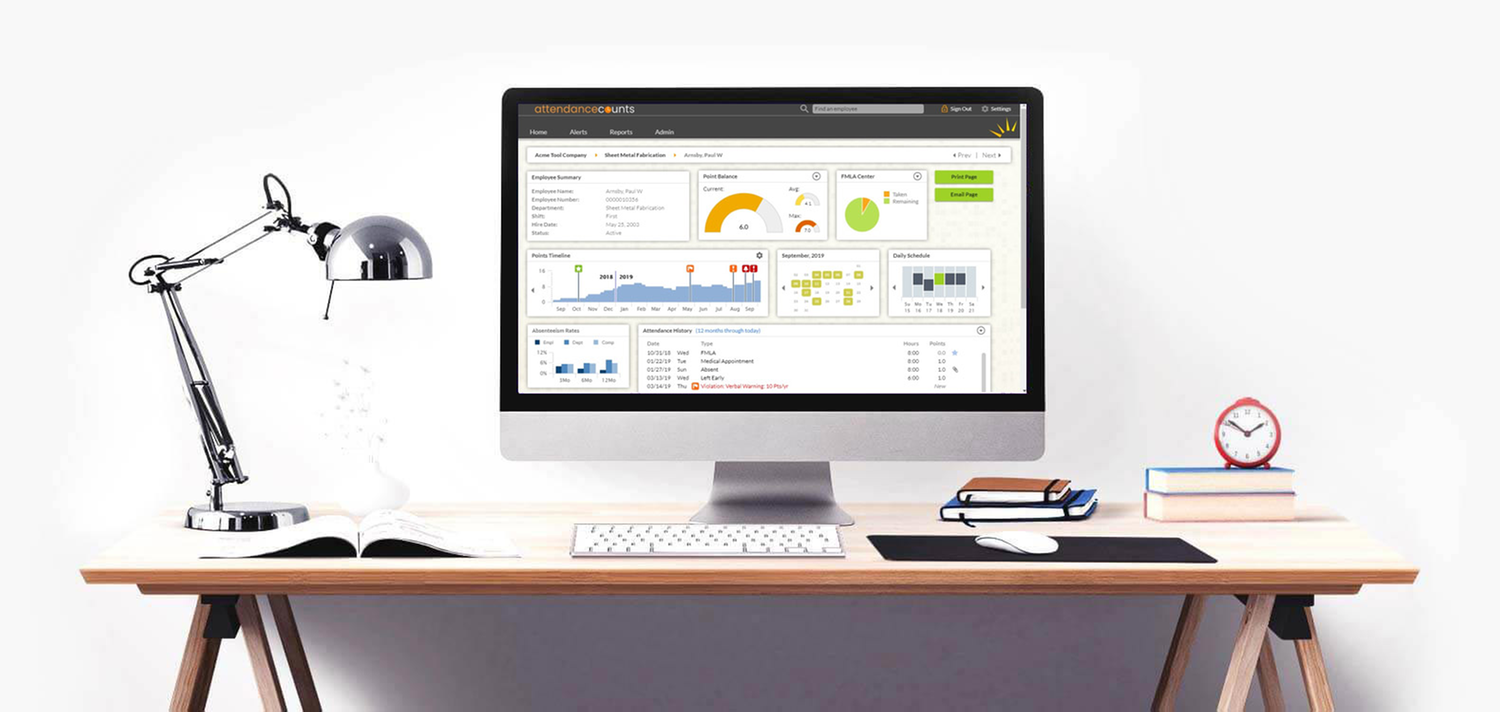
- You won’t overlook anything because we will alert you on-screen and by email to any events or status changes that require your attention. A built-in “to do” list ensures you'll know what to do, as well as what you’ve already done. A daily email summary – customized for you based on your “role” in the software – distills the most important information you’ll need that day, so you’ll know what to do, even before you login. And your interactive dashboard in Attendance Counts organizes information in a manner that’s best suited for you.
FMLA Tracking
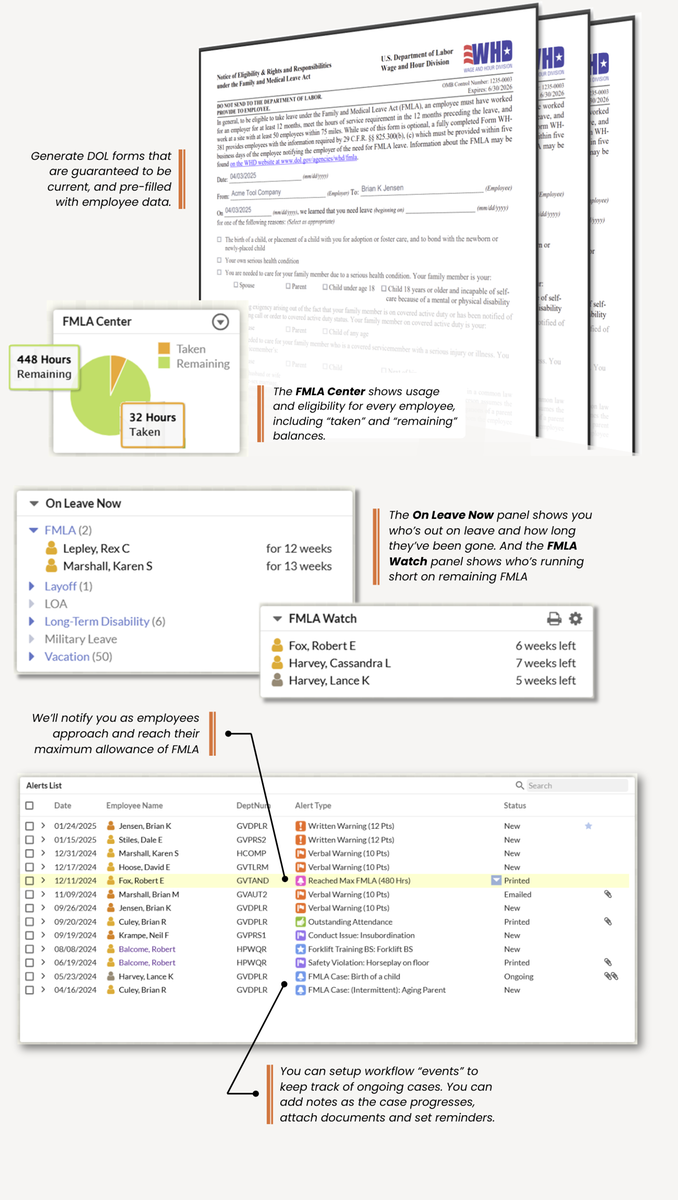
Don’t risk noncompliance with state and federal FMLA regulations. Attendance Counts tracks all types of leave, including intermittent and partial day FMLA, and gives you the ability to quickly and accurately determine an employee’s usage and eligibility based on federal law and your company’s own policies.
- You won’t have to poke around or run reports to get key FMLA data; we push important information right up to an FMLA panel on your dashboard. We maintain “watch-lists” for you, so you won’t be surprised by an FMLA event or milestone. You can set up workflow items to track ongoing cases, print official D.O.L. forms, and upload supporting documentation.
- Do you run FMLA concurrently with PTO or workers' compensation? That’s no problem. And if your state has its own variant of FMLA (like OFLA or CFLA), that’s no problem either.
Work Rule Automation
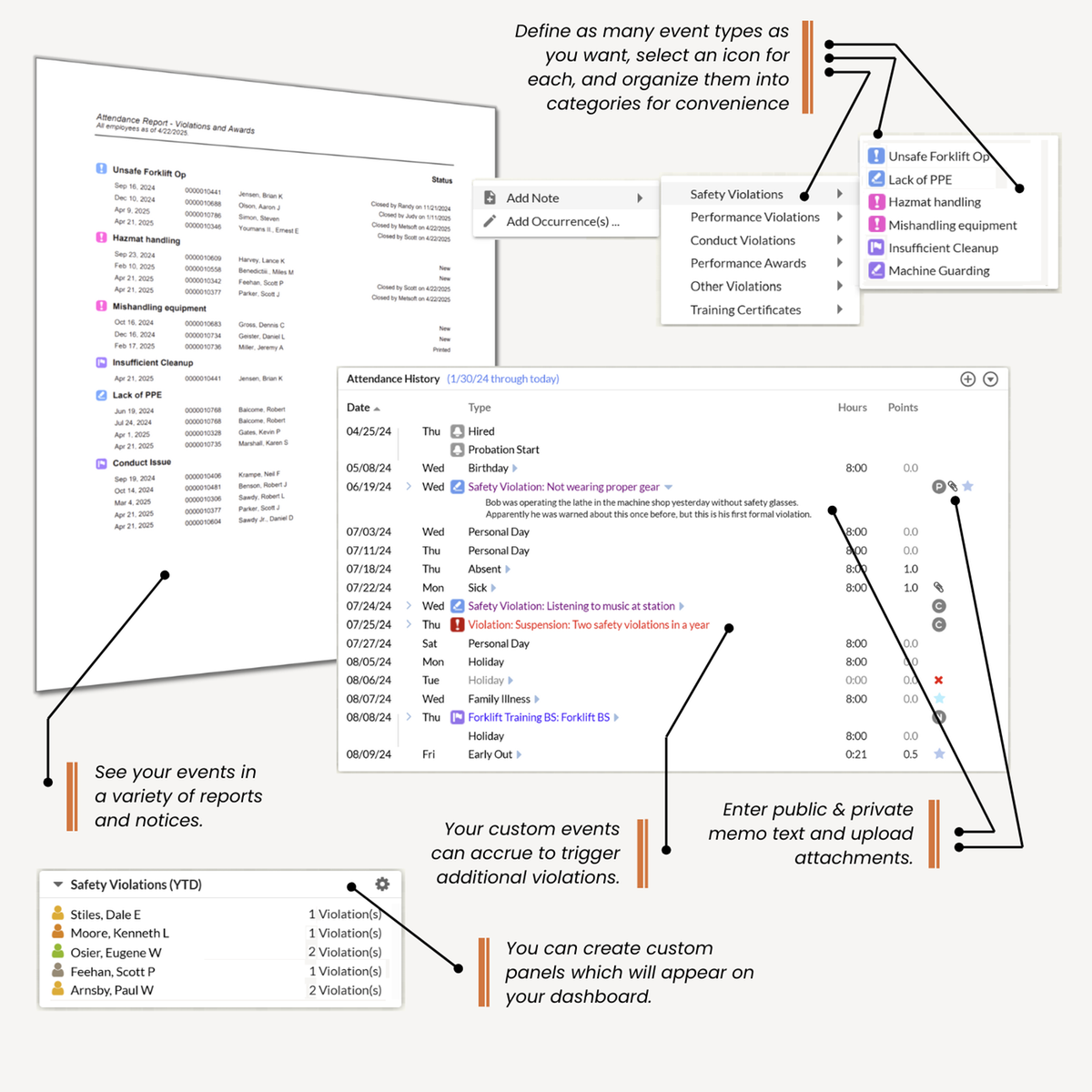
Does your company have a safety policy? How about guidelines for dress-code, conduct or quality? Attendance Counts lets you define and record an array of non-attendance violations, so that you can use it to manage your entire “progressive discipline” policy.
- Once entered, these discretionary work-rule violations are tracked alongside attendance violations. They will appear on-screen and in reports, and will be linked to form letters that can be printed from the software. You can enter public and private memo text, attach documents, and write rules that trigger additional disciplines based on custom events that you control.
- Some of our clients find this feature so useful, they use it to record all sorts of events, like specific training events, drug or alcohol testing, and skills certification. We could set up a panel showing you who’s had forklift training in the past year, create a reminder rule that notifies you who’s due for drug testing, or create a rule that triggers a suspension if an employee has more than two conduct violations in a year. You can set up as many rules as you want, and can even group them into categories to make them easier to find.
Custom Violation Notices
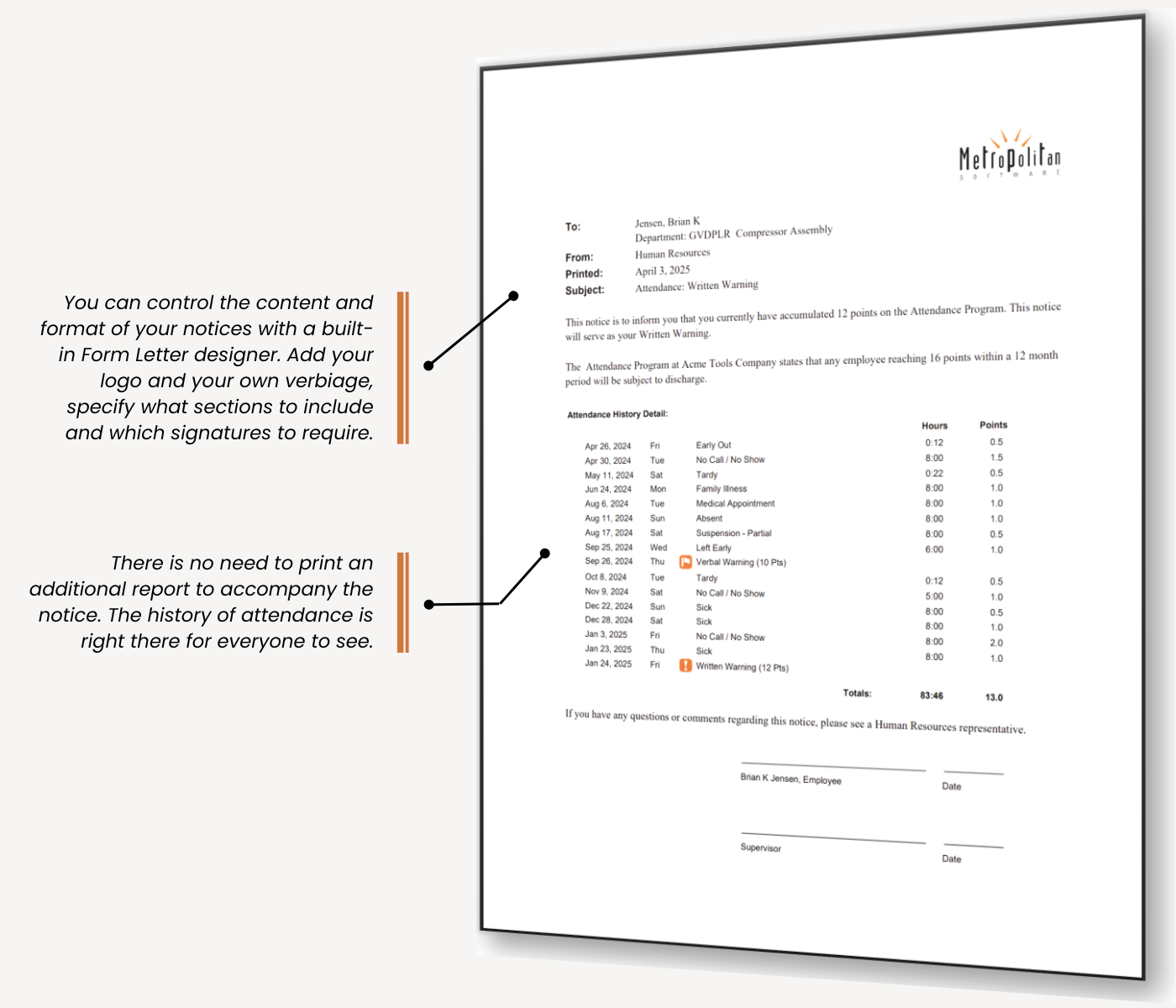
The violation notices that get generated by Attendance Counts are simple, elegant, and customizable. You can create and edit the form letter templates with your own text, add your own logo, specify what sections to include and which signatures to require. And since every violation notice includes the employee’s attendance history right on the letter, along with the dates of prior infractions and disciplines, there is no need to run an additional report.
- If you use the optional eSignature feature, you can send the notice for signature by email or SMS to the recipients that you specify. You’ll be able to monitor the document as it progresses through the signing process, and access the fully-executed document once all signatures have been collected.
Analytics & Trend analysis
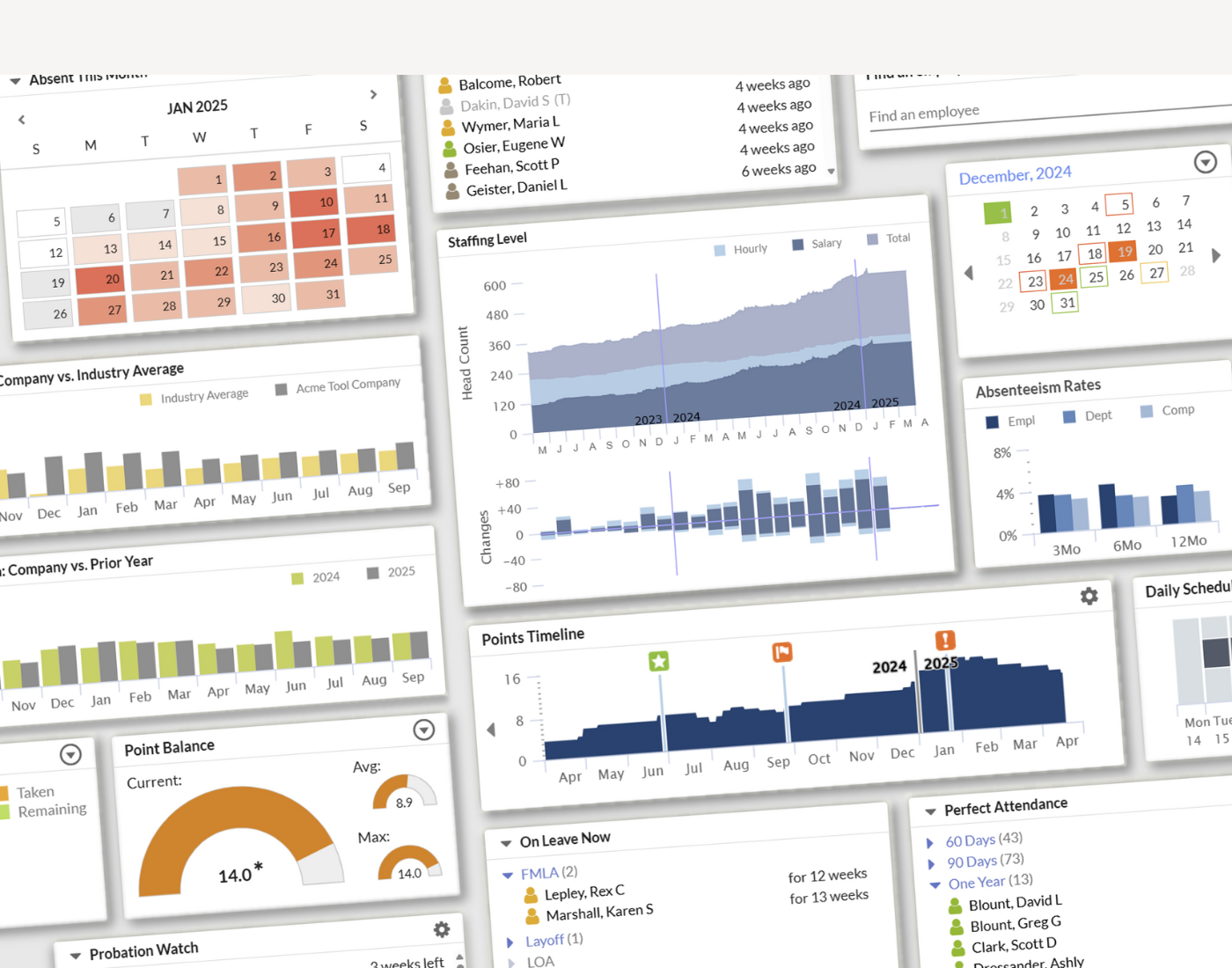
Have you ever wondered how absenteeism varied among different shifts or departments in your enterprise? Or over different calendar years? Is absenteeism higher on Mondays than during the rest of the week? How about in the summer vs. the winter? What if you could measure the effects of a recent policy change on absenteeism rates, or identify which incident types caused the most infractions?
- Attendance Counts goes beyond simply automating your policy. It gives you the ability to drill down and analyze your data. With Attendance Counts, you can identify attendance trends across departments and over time. You can see how much absenteeism is costing your company. You can even compare your company’s absenteeism rates with an industry average. Armed with this information, you can make more informed staffing decisions, focus on particular departments that are under-performing, and fine-tune your attendance policy to maximize productivity.
Comprehensive Reporting
If it's reports you crave, we have you covered.
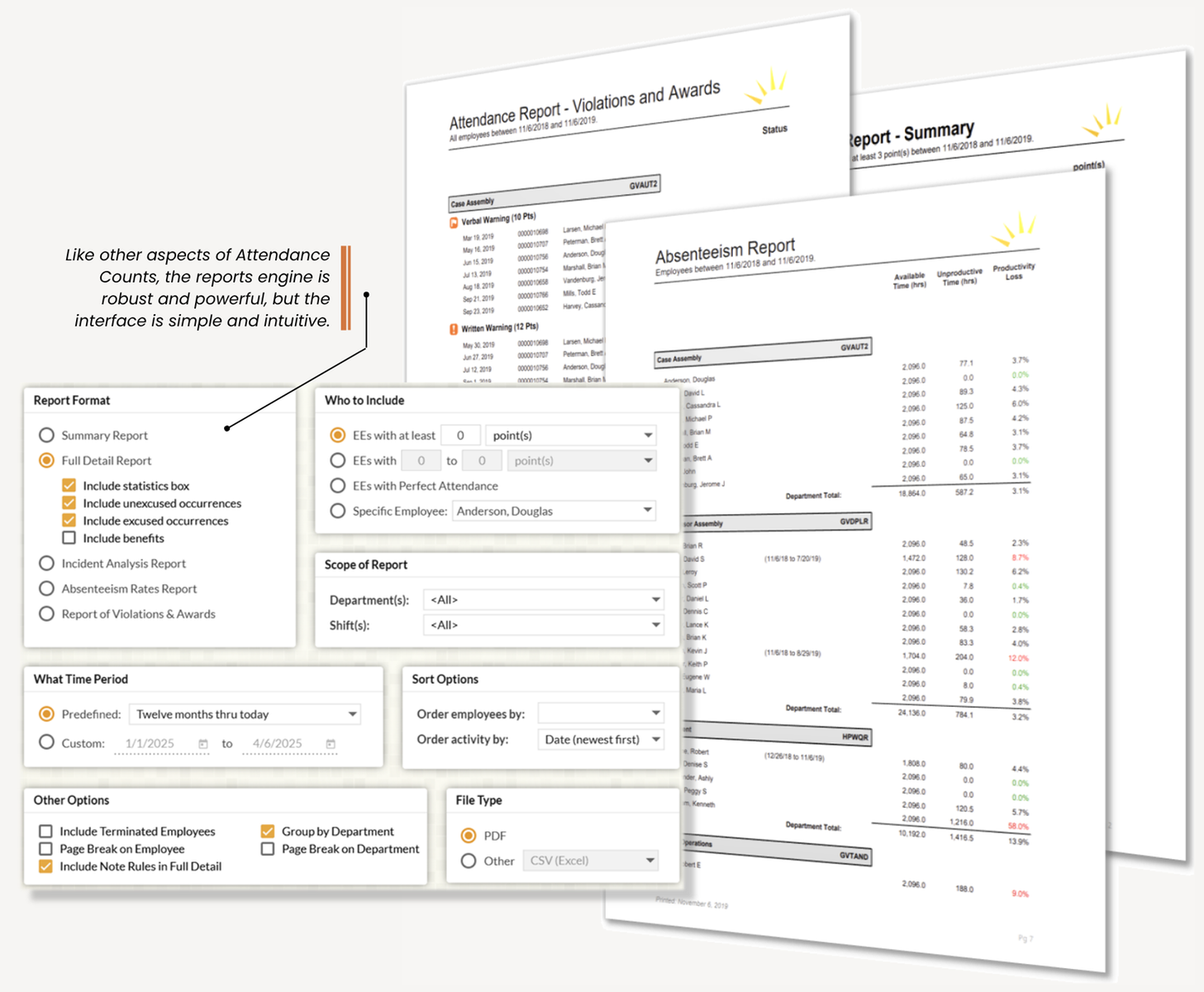
- You can run individual or group reports, full history reports, summary or detailed reports, incident analysis reports, absenteeism reports, violation reports, FMLA reports, perfect attendance reports and more. All reports can be filtered, grouped and sorted as you wish, run on any timeframe you choose, on any subgroup of employees you choose, printed or emailed, viewed on-screen or exported to pdf or Excel format.