Integration Details
Schedule101 integrates with ADP to automate staff onboarding, updates and department setup, making it easy for managers to keep employee data up to date, launch new venues and much, much more!
Applications Integrated
- 1. ADP Workforce Now®
2. ADP Workforce Now® with Essential Time®
3. ADP TotalSource®
Integration Type
- 1. Read and Write data from ADP
2. Single Sign On
3. Buy Now
Application Type
- 1. Data Connector & End-User
Data Sync Frequency
- 1. Scheduled
Data Fields
- The following fields will be read by Schedule101:
1. First name
2. Last name
3. Home address
4. Email
5. Mobile phone
6. Home phone
7. Job title (ADP Workforce Now only)
8. Hourly Wage
9. Hire date
10. Approved Time Off Requests - The following fields will be exported to ADP:
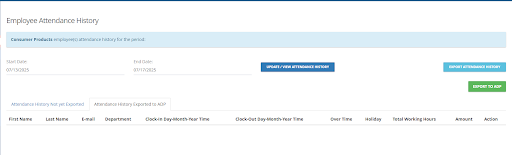
1. Over Time
2. Holiday
3. Total Working Hours
4. Amount
Online Employee Labor Percentage based Scheduling
Online Employee Scheduling - Check the abundance of, relevant, useful, easily accessible information when building schedules and note the costing and percentages as you build those schedules!
- Build profitable schedules, respecting store and staff requirements quickly and easily. Hover over cells and you will see details on the color-coded employee availabilities and time-off requests but you can still schedule over them if you need to.... and much, much more!

ADP Integration
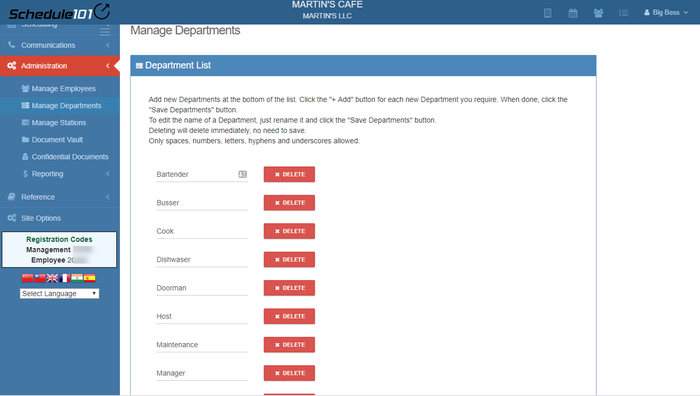
Single-sign-on through ADP, automated staff onboarding and department set-up makes rollout quick and easy for Managers.
Android & iOS Apps
Employees simply download and use the APP from the Apple or Google Play stores or via web access to keep their information current, view relevant store information, enter & adjust availabilities and time-off (requests), see the other staff they'll be working with's shifts, toggle between stores if working in more than one venue, use the communications tools, see what's new in the system, make or vote on new feature requess & of course view, swap, drop & add shifts, subject to Manager Approval (if so set).

Task Management
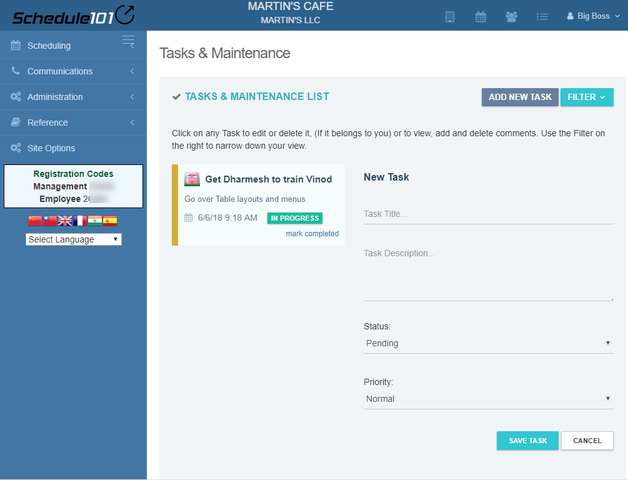
Keep track of tasks, responsibilities remotely at any time from anywhere.
Manager Log / Shift Notes
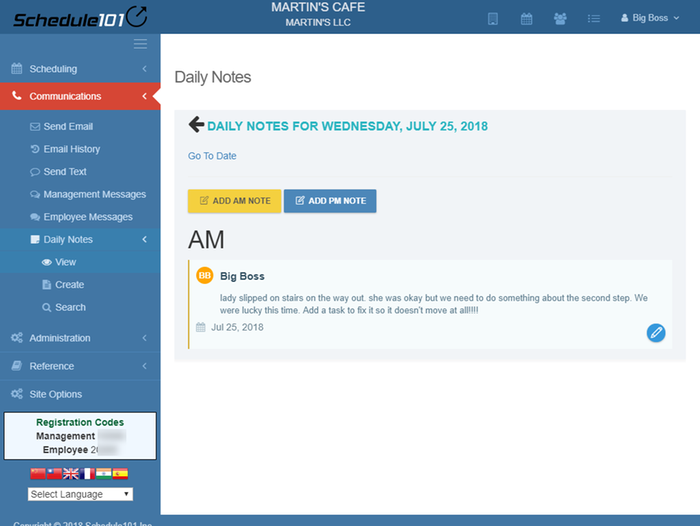
Online not in a book so you can access and update from anywhere at anytime.
Employee Portal
This is where employees manage their own information, see their shifts, which they can of course drop, swap & add subject to manager approval, send and receive messages, suggest availabilities, time-off requests and more.

- This is the Employee desktop view.
Employee Clock In / Out Hours
Want to know exactly when your employees started and ended their shifts? Want to streamline payroll processing with precision? This feature captures daily employee clock-in and clock-out data, total working hours, holidays, and even overtime — all in one place. With just a click, you can export this data directly to ADP, ensuring accurate and timely payroll. No more manual calculations or errors, just clean, clear, ready-to-send records.