
Integration Details
If you’re an existing client of BusyBusy, click here to purchase the data connector. If you’re not a client yet, you’re in the right place! Employee data in ADP Workforce Now automatically syncs to BusyBusy and timecard data in BusyBusy seamlessly pushes to payroll in ADP Workforce Now.
ADP systems integrated
- ADP Workforce Now
ADP Workforce Now Next Generation
ADP TotalSource®
Data flow
- Bi-directional data exchange
Access and sign-in
- ADP single sign-on: All users can sign in to BusyBusy using their ADP credentials. Purchasers and users assigned through ADP Marketplace can also sign in through the ADP Marketplace My apps page.
Data sync frequency
- Real time: New employee auto-syncs in real time (10-15 minute loops) into BusyBusy
On demand: Time data syncs on demand from BusyBusy to ADP Workforce Now when time is approved in BusyBusy.
Data fields
- BusyBusy will send the following data fields to ADP:
Pay Data Input
Regular Time and Rate
Overtime and Rate
PTO Hours Taken
Summary of Job Hours - BusyBusy will read the following data fields from ADP:
First Name
Last Name
Email
Company Unique ID OOID
Employee Unique ID AOID
Employee Pay Rate
Cost Numbers
Time Tracking
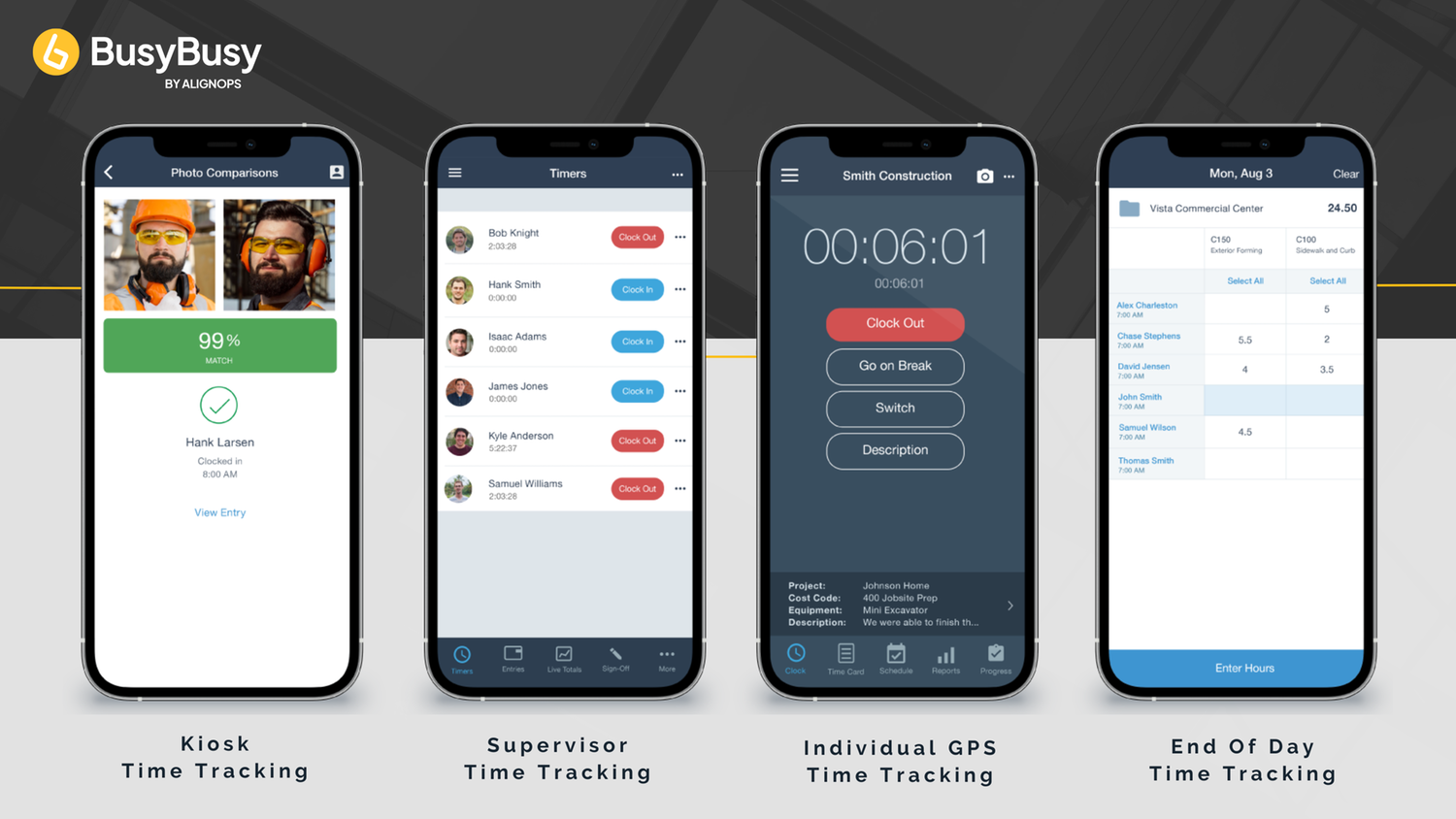
Whether you want your employees to clock in on their own device, have a supervisor manage time for the crew or want your employees to all punch in and out on a centralized device — BusyBusy has you covered.
GPS Time Tracking
- BusyBusy’s easy time tracking allows employees to clock in right from their phone! With GPS features you can require employees to be onsite to clock in or even just use GPS to remind them to clock in once they’ve arrived! Easily view which projects employees worked on, where they clocked in and out, ensure they took breaks, and verify with location with breadcrumbing while they’re on the clock!
Supervisor Time Tracking
- Have supervisors or crew leads manage and track time for their crew at any point throughout the day, even if they started tracking time individually or with the Kiosk Mode. Supervisors can allocate their crew's hours to the jobs, cost codes, and equipment used at the end of the day or in live time. It’s also easy for Supervisors to verify and sign-off on employee hours each pay period.
Kiosk Mode
- Turn any device into a Kiosk! BusyBusy realizes that some companies need a centralized clock in location (ex. a tablet at the office!) Facial Recognition makes clocking in quick while also preventing buddy punching. This allows your in office and shop teams to clock in using the kiosk while your remote crews can use their phones to track time.
End-of-Day Time Entry
- If live time tracking isn’t in the cards for your crew, no problem! You can always utilize our end-of-day time entry.
Safety & Liability Tools
Managing job site safety can feel overwhelming, but it doesn't have to be. BusyBusy will help ensure compliance, reduce accidents, and foster a culture of safety with tools designed for simplicity and effectiveness.
Clock-In & Clock-Out Questions
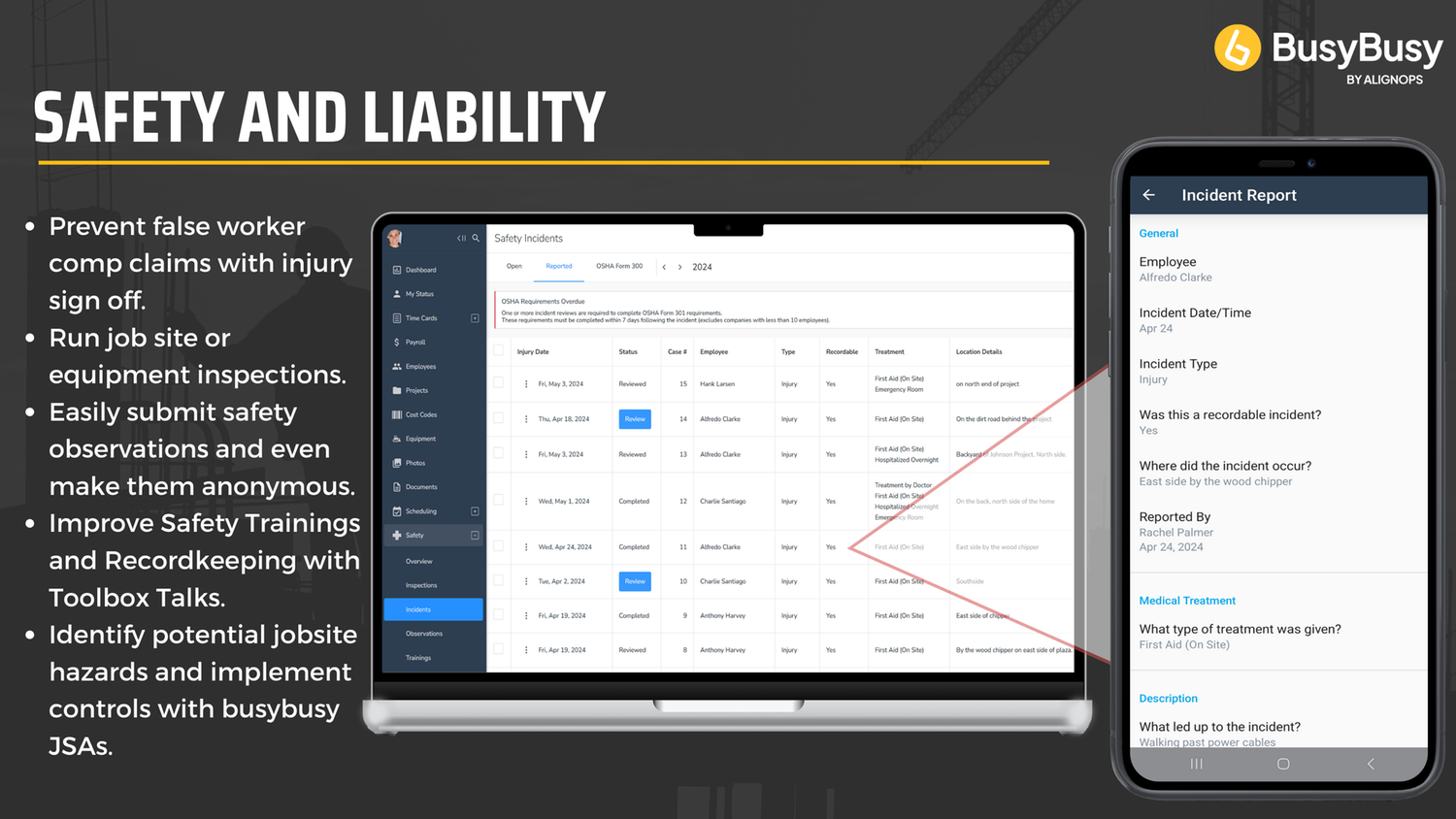
- Customizable clock-in and clock-out questions to verify employees and jobsites are safe, while also preventing false worker’s compensation claims and reducing your liability as a company.
Toolbox Talks
- Crews can easily run toolbox talks (we have thousands to choose from!) right in the app.
Inspections
- Conduct equipment and jobsite inspections with customizable checklists and automated reminders.
Incidents
- Incident reporting with guided templates to ensure nothing is missed and OSHA reports are submitted correctly and timely.
Equipment Tracking & Management
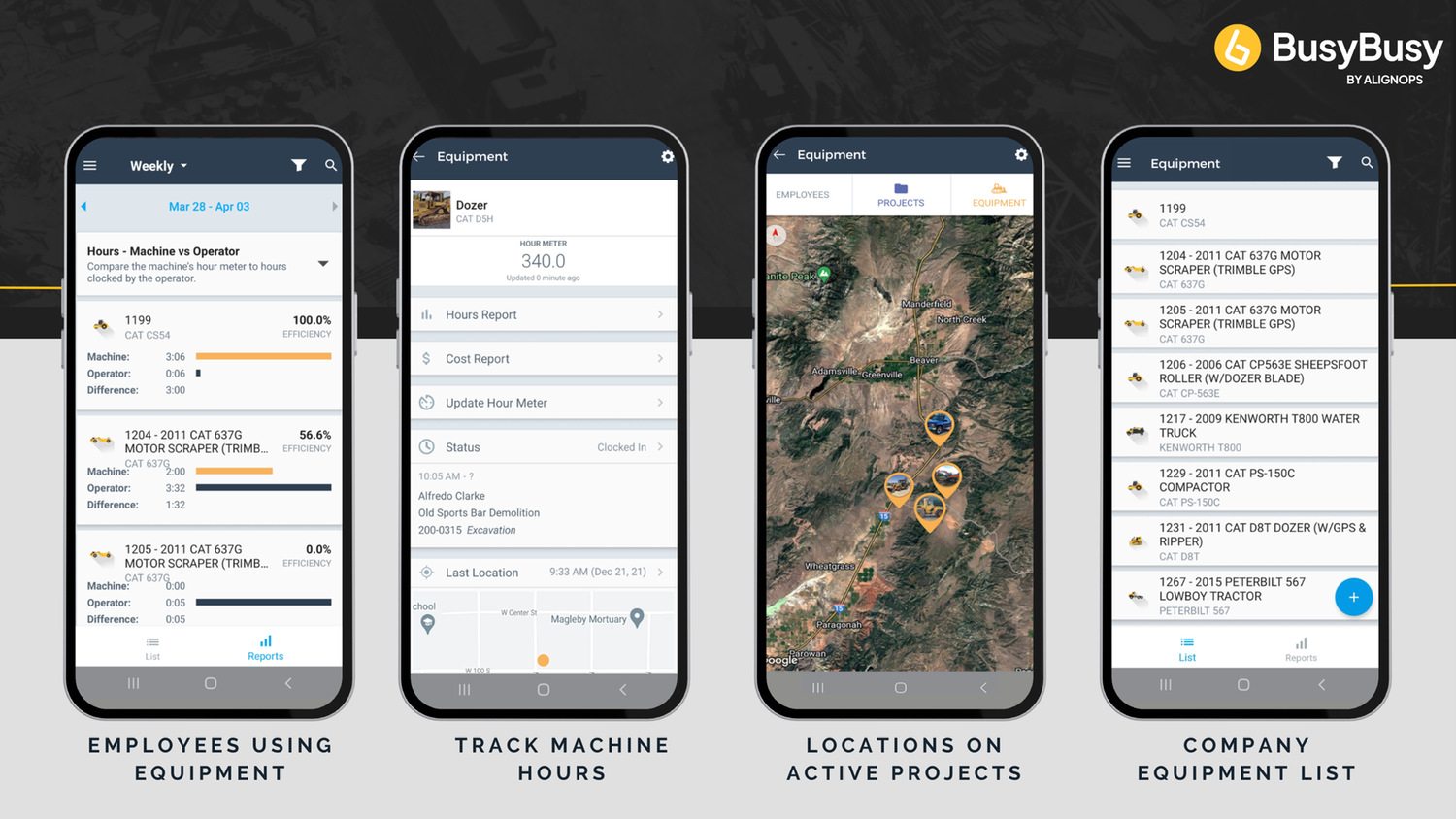
BusyBusy makes heavy equipment tracking a breeze, while also improving productivity and reducing missed billable hours associated with manual equipment tracking. Easily analyze equipment usage and efficiency. Quickly see which employees are using equipment, which jobsite it’s being used at, and the total hours it was used!
Operator Efficiency & Equipment Utilization
- Easily view operator efficiency, check idle vs. working hours to better understand your production operations, and help you determine which machines are being heavily utilized and which are underutilized.
Complete Equipment Insight at Your Fingertips
- Quickly view the make, model, year, hour meter, and a photo for each piece of equipment, making it simple to monitor usage and maintenance schedules.
Track Your Equipment’s Last Known Location Instantly
- Quickly view the last known location where each piece of equipment was clocked in. This helps reduce time spent searching across job sites, improves coordination, and adds an extra layer of accountability by showing where and when equipment was last used.
Live & Historical Operator Tracking
- See which employee is operating each piece of equipment in real time or get a historical record for each machine, showing who operated it and which job they were on.
Track Multiple Pieces of Equipment at Once
- Not only can you track operator efficiency for each machine, but with multi-equipment time tracking, employees can clock in to multiple pieces of equipment at once—including tools, attachments, and trailers. This gives you a complete picture of how all equipment is being used on the job site.
Photos, Videos & Notes
You know what they say… A picture is worth a thousand words — it can also be worth thousands of dollars! BusyBusy’s job site photo and video feature streamlines documentation, enhances job site management, and protects you from additional liability! Don’t let a photo or video get lost on an employee's phone — Keep them automatically organized and safely stored in the cloud.
Stay Productive, Even Off the Grid
- No service? No problem, Offline Mode will save photos to the BusyBusy cloud once cellphone service or Wi-Fi is available.
Protect Your Crew and Your Bottom Line
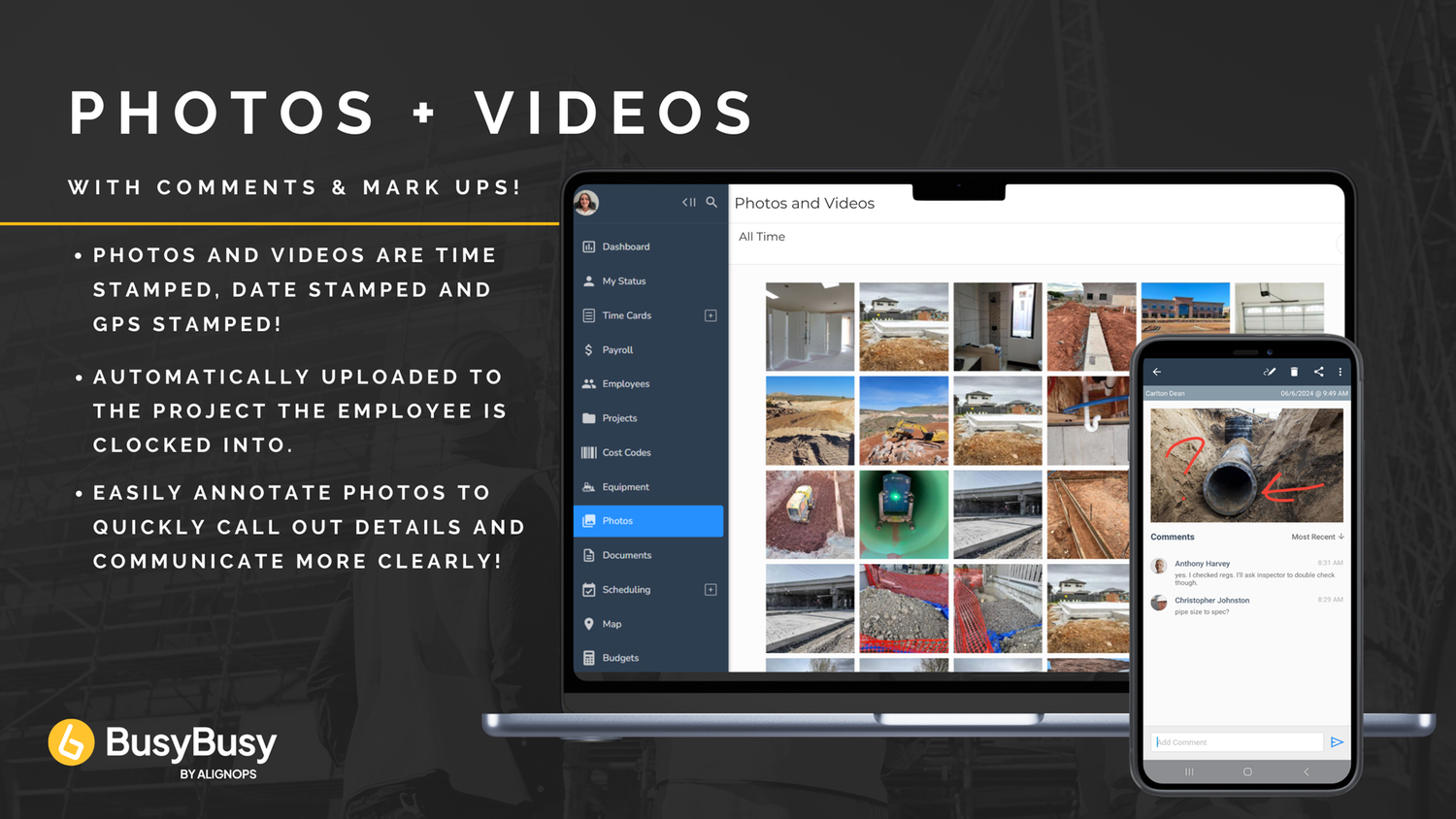
- BusyBusy helps protect your company from liability by automatically time-stamping and GPS-tagging every photo and video. If questions ever come up about site conditions, completed work, or safety practices, you'll have clear, organized visual records to back you up.
Find the Right Photo—Fast
- Photos and Videos are automatically put into a project album. Easily search for photos and videos by date, project, or employee. Whether you’re verifying work completed, settling disputes, or preparing reports, you can quickly filter your photo library by project, date range, or team member to pinpoint the right visual in seconds.
Photos That Talk: Annotate, Comment, and Share
- Easily call out details on a job and communicate more clearly with the team by annotating photos, leaving notes, and commenting back and forth.
Field Reports
Create custom report templates that fit your needs. Whether you are looking to keep track of daily progress, fill out checklists, or ask daily questions, BusyBusy's field reports have you covered.
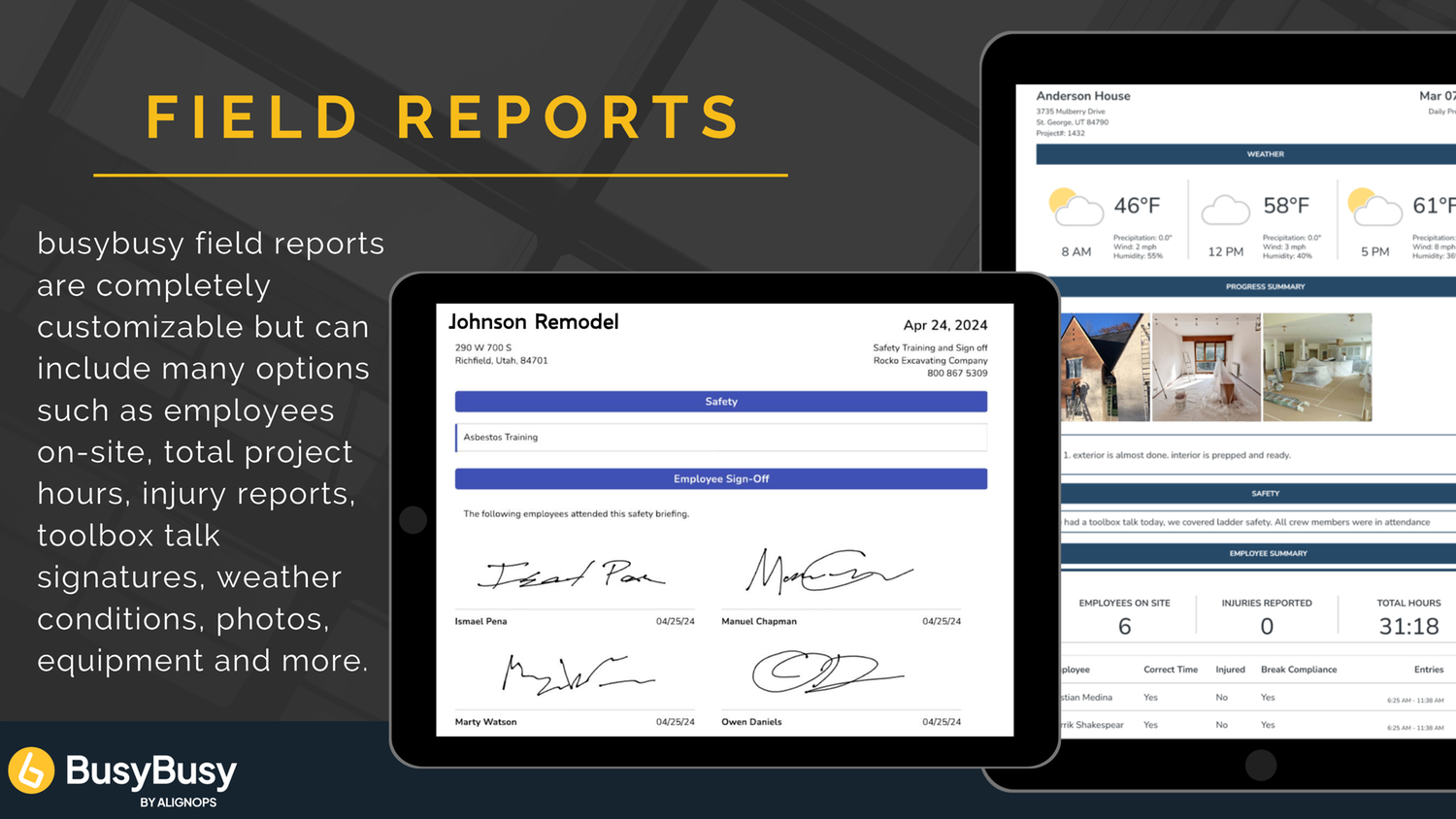
Professional Field Reports Without the Paperwork
- Daily Project Reports include weather, employees onsite, progress made that day, job costing, photos, safety and more, can be created in seconds!
Keep Jobs on Track and Reduce Risk with Custom Checklists
- Streamline your daily tasks and reduce liability with custom construction checklists right inside your BusyBusy field reports.
Field Reports Saved to the Cloud Automatically
- Field Reports are automatically saved to the cloud and viewable immediately from the BusyBusy app or web dashboard!
From Crew Members to Clients—Get the Signatures You Need
- Capture multiple employee signatures or even grab a non-employee signature (like a signoff by a customer on a new paint color!).
Budgets—Project, Cost Codes & Equipment
Labor is the biggest variable cost on the jobsite. Do you know how much you are spending on labor? Add your project budget in BusyBusy and see where you’re stacking up in real time.
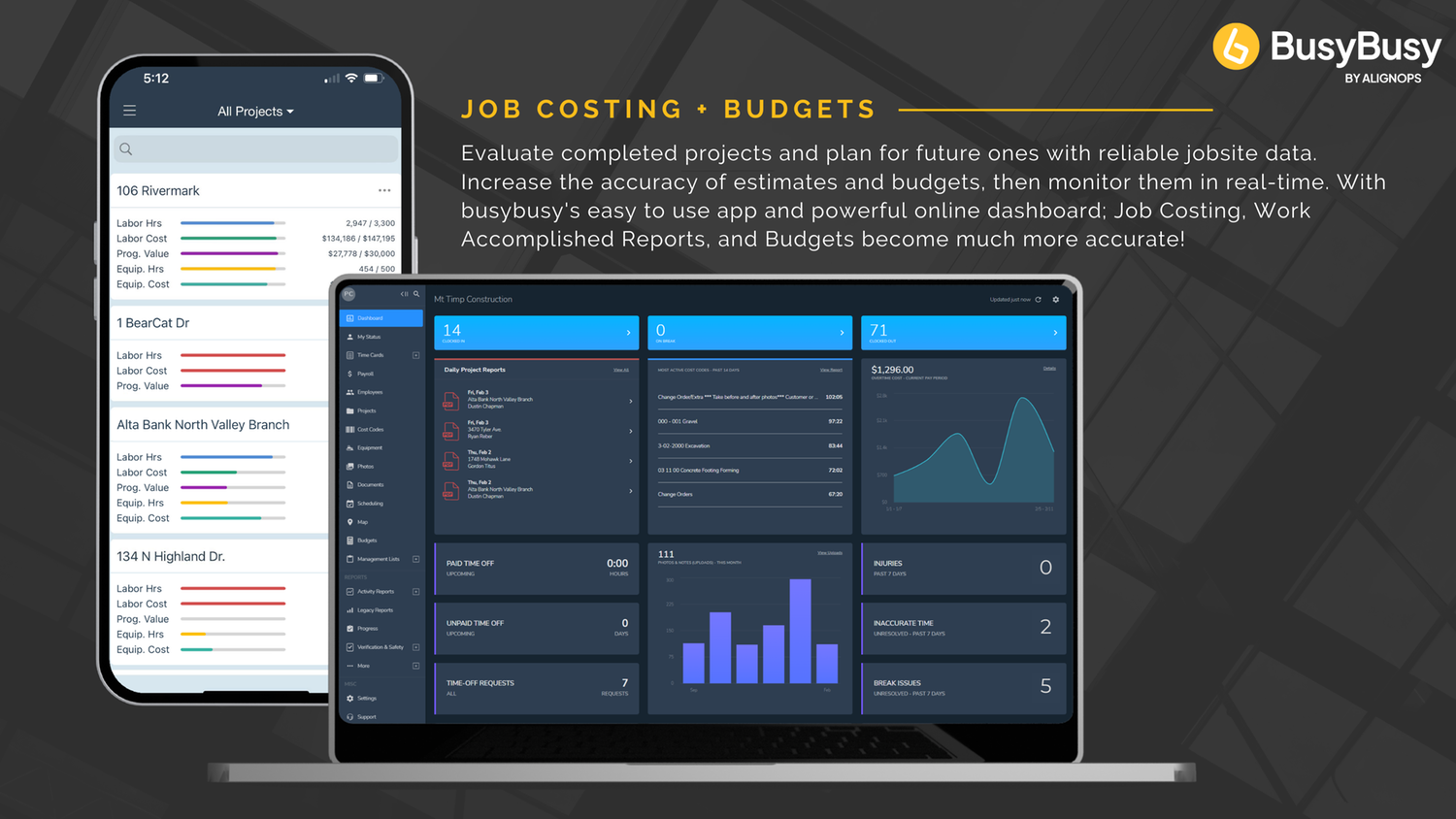
Budgets to Any Level of Your Workflow
- Add labor hour budgets to your cost codes, projects, subprojects or pieces of equipment.
Stay Ahead of the Budget Without Leaving the Jobsite
- View budgets in real time right from your phone. This way you have the data to make important changes before it’s too late.
Your Budget, Shared Only with the Right People
- BusyBusy budgets are permission-based, so you can control who sees what!
Live Budget Comparisons
- Budget vs Actual reports are generated instantly when employees clock into a project, cost code, or piece of equipment.
Team Communication
Keep company messages and schedules in one central location instead of spread across texts, sticky notes and emails.
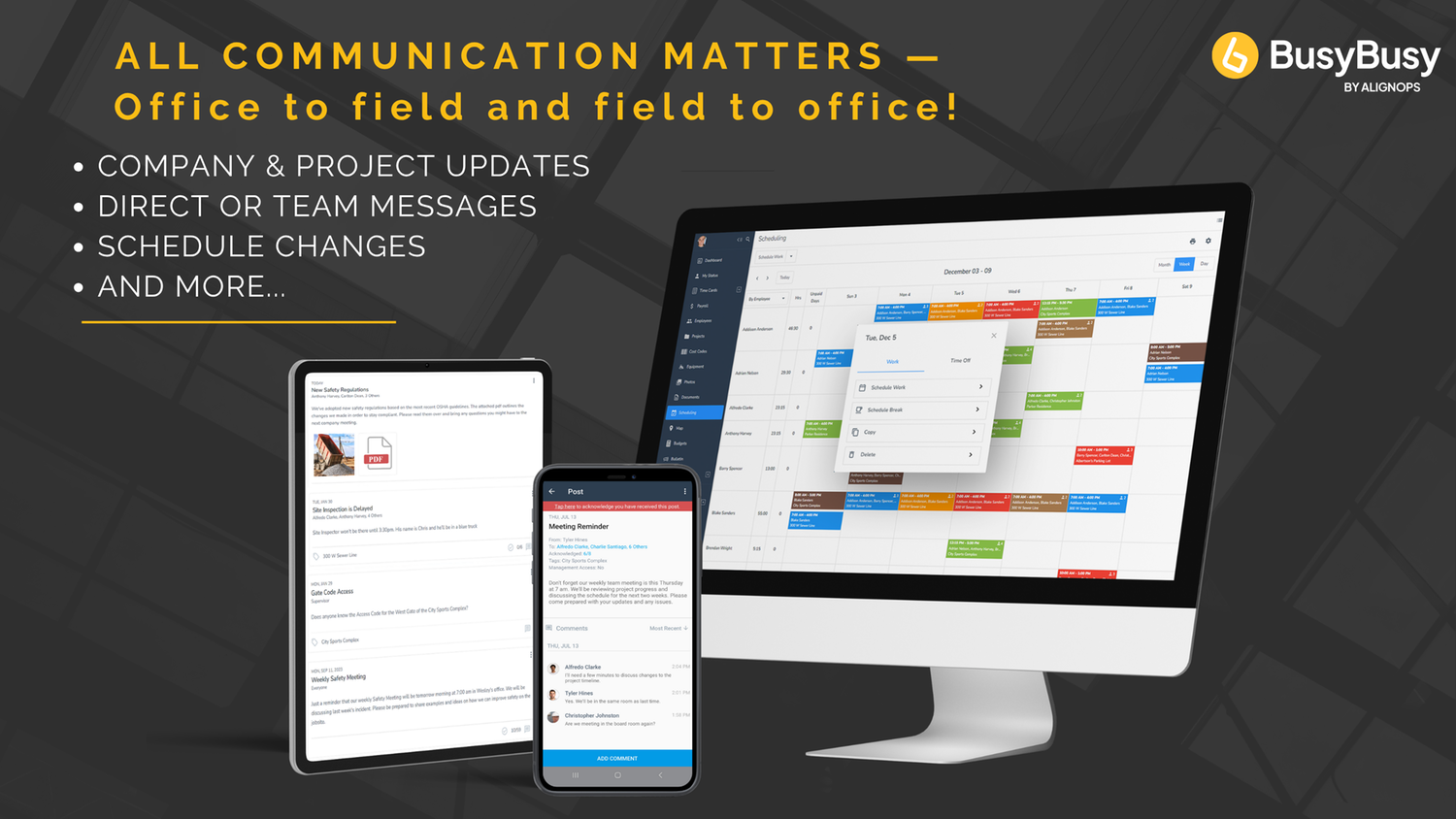
Message Individuals, Crews, or the Entire Company with Ease
- Send messages to individuals, crews, positions, groups, or the whole company, and tag the messages to specific projects and pieces of equipment.
Message Received? Get Instant Confirmation.
- Have employees acknowledge (think read receipts with texts) the messages that are sent out with the click of a button so you know they saw your important message.
Scheduling Done Right
- Your team can view their schedule on their phone, and clock into the project they are working on right from their schedule, saving time and increasing job costing activity accuracy!
Updated Schedule? — We’ll Notify the Crew for You
- Automatically notify employees when their schedule is published or changed and leave them instructions or reminders for their shift!
Document Storage
Say goodbye to the dreaded work truck binder and forget about having to dig through mud and coffee-stained site plans. With BusyBusy’s document storage, you can keep all your project docs in one spot!
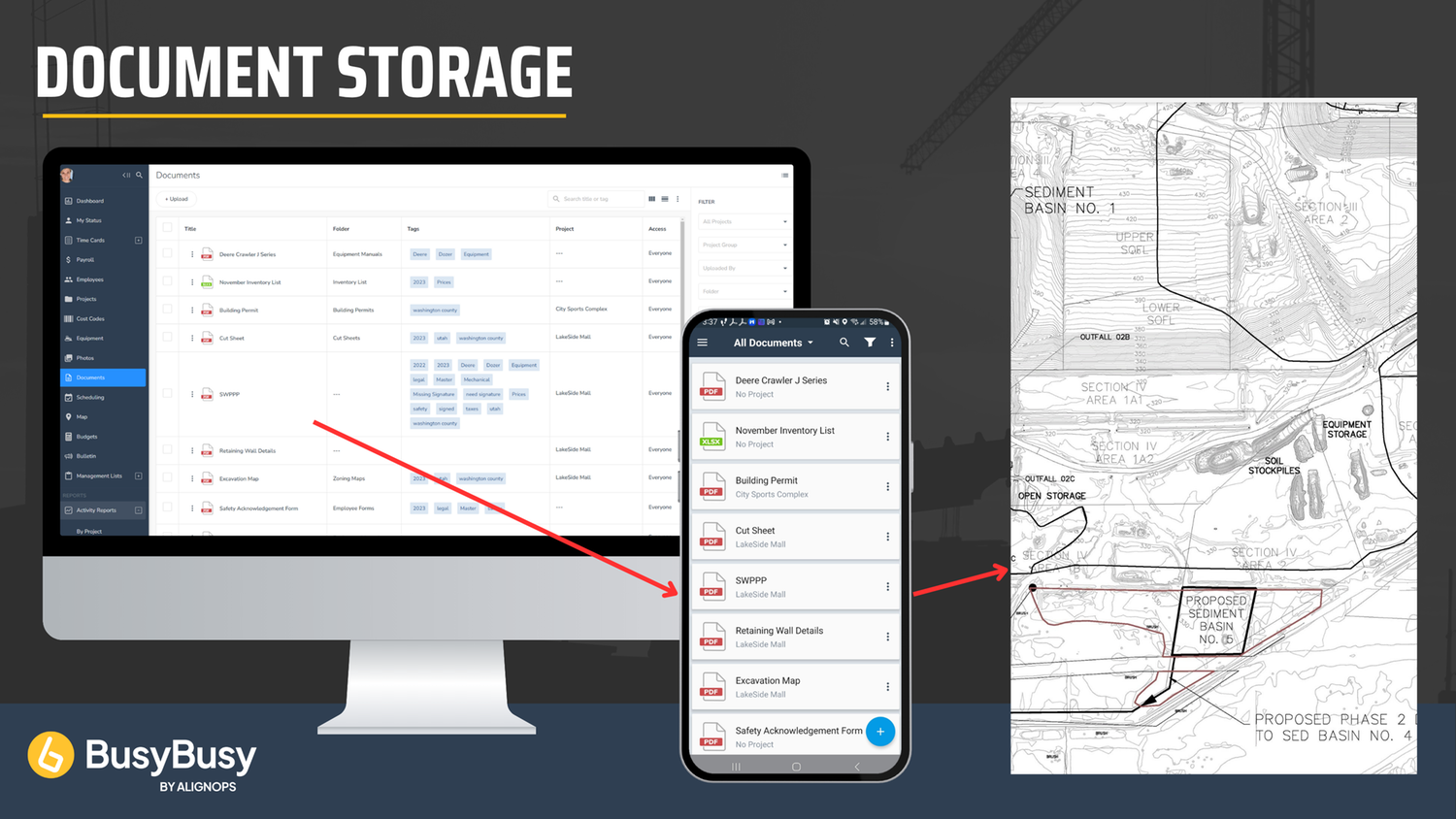
From PDFs to Spreadsheets—Easily Upload and Share
- Upload & share different types of files (.pdf, .xls, .xlsx, .doc, .docx, .ppt, .pptx, .txt, .rft, .csv)
Docs That Follow the Job—Wherever It Goes
- Assign Documents to projects and allow approved employees to view them from anywhere!
No More Digging, Find What You Need Fast
- Easily organize documents into different folders or with special tags.
Easily Control Who Sees What
- Limit who has access to project docs based on position groups.
Activity Reports
Jobsite reporting has never been easier to view. Easily check on job costing data, GPS records, Injury & Site Safety reports and much more! You can print or export reports from BusyBusy in seconds.
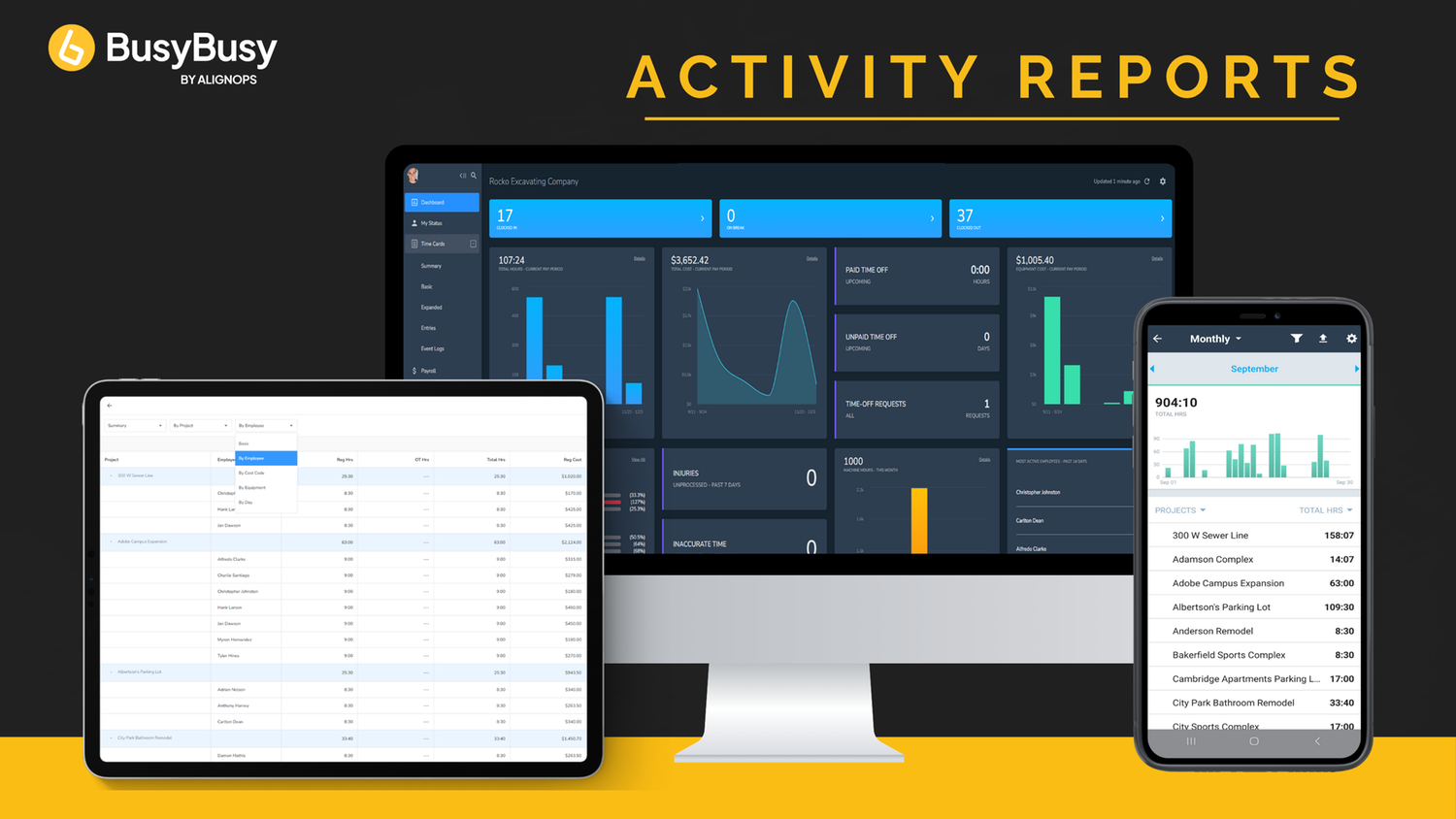
Multi-Level Cost Visibility
- View hours and costs by Project, Employee, Cost Code, and Equipment in a multi-level breakdown.
Real-Time Job Costing Data at Your Fingertips
- BusyBusy gives you up-to-date insights into labor and equipment costs as work happens—so you can monitor project performance, stay on budget, and make quick, informed decisions without waiting on end-of-week reports.
GPS Reporting at a Glance
- BusyBusy’s GPS reporting gives you precise, map-based insights into your crew’s location history, linking GPS points to clock-ins, clock-outs, and jobsite movements. With features like geofencing to flag offsite work, breadcrumb tracking to visualize travel paths, and time-entry verification for payroll accuracy, it ensures accountability, streamlines project management, and helps resolve disputes—all in one clear, location-powered view.
Injury & Site Safety Reports
- Injury & Site Safety reports are easy to find within BusyBusy’s activity reporting section.