Integration Details
Pull data directly from your ADP Workforce Now® account, including photos from employee profiles. Optionally, supplement ADP data with data from other compatible HR data systems.
ADP systems integrated
- ADP Workforce Now Next Generation
ADP Workforce Now Recruitment
ADP Recruiting Management
Data flow
- Read data from ADP
Access and sign-in
- ADP single sign-on: Purchasers and users assigned through ADP Marketplace can sign in to OrgChart through the ADP Marketplace My apps page.
Data sync frequency
- Set your OrgCharts to automatically sync with your data source(s) daily, weekly, or monthly. Or, refresh your charts on-demand to see updates to your data flow into OrgChart immediately.
Data fields
- OrgChart can read many fields (including custom fields) that are associated with the Worker Profile.
Reference this article on our Help site to see what fields we can import.
Commitment to Responsible AI
Together with ADP Marketplace, our company is committed to the responsible use of AI. When incorporating AI into our product(s), we have agreed to comply with ADP Marketplace’s AI principles focused on human oversight, monitoring, privacy, explainability, transparency, and mitigating bias. Learn more here.
How we use AI
- OrgChart AI Search uses AI-powered search technology to help HR professionals, managers, and people instantly find people, positions, and workforce information across their organization. Using AI-powered matching, the feature intelligently maps search input across multiple data fields simultaneously to surface accurate, relevant results. Users can search across fields like name, title, division, and location to quickly navigate even the most complex organizational structures.
Data Privacy and Security
- OrgChart AI Search operates entirely within each client’s own workforce data, which is sourced directly from their ADP connection. Customer data is never shared outside their environment and is not used to train AI models. Results are governed by the same role-based access controls already in place in OrgChart: if a user cannot see a field or employee record, AI Search cannot surface it.
Human Oversight
- OrgChart AI Search is designed to support human decision-making. All workforce decisions, including those related to hiring, promotions, compensation, or organizational changes, remain with authorized users.
If you have questions about how OrgChart uses AI, please contact us.
Customizable Org Charts
Get the information you need in the format you like. Customize an unlimited number of charts with features such as:
- • Colors
- • Fonts
- • Pictures
- • Logos
- • Highlights
- • Legends
- • Custom calculations
- • Filters
- • Flags
Position-Based Org Charts
Create position-based org charts to not only display employees at your organization, but also vacant positions. Get the full scope of your headcount and salary by tracking all active positions at your organization.
Integrate Multiple Data Sources
OrgChart has built-in data integrations with more than 50 HR data sources, including HRIS, HCM, payroll, and performance management systems. Additionally, append or merge any of your HR data with CSV files. Bring all of your disparate HR data together in one place to get real-time insight into your organization.
Automatic Data Refresh
Schedule OrgChart to sync with your HR data on a daily, weekly, or monthly basis or refresh your charts with live data in the platform at any time. Additionally, schedule charts to be automatically emailed to any inbox.
Export, Print, & Share
Seamlessly share org charts via PowerPoint, PDF, SVG, private or public web links and more. Preview your charts before they are printed and modify pagination options to ensure you export or print your charts the exact way you want to see them.
Secure Access
Secure your sensitive employee data by controlling what different user groups and administrators can see in OrgChart.
- • Tailor the user experience to match your organization's InfoSec needs.
- • Exclude fields on import or restrict fields from certain users.
- • Leverage enterprise-class functionality to restrict users to certain branches or data fields.
Analyze Metrics
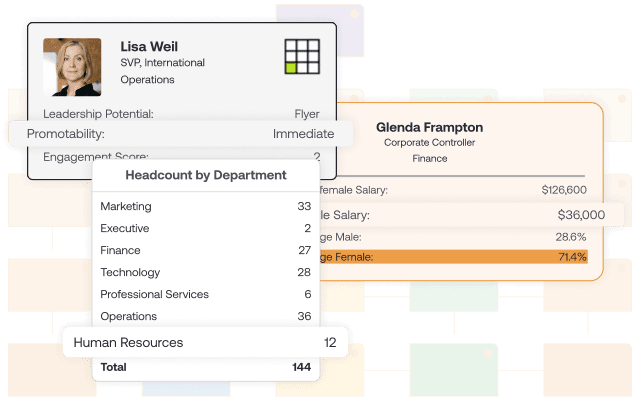
Leverage OrgChart’s existing formulas or create custom formulas to track metrics related to headcount, salary, vacancies, diversity, performance, and more. When planning, set goals and measure your scenarios against your targeted headcount, salary, and more.
Directory & Search
Find information about any employee or position at any time with OrgChart’s advanced search functionality. Search on any field in your data set, such as location, hire date, and more.
Archive Historical Charts
Save and access all of your historical org charts with our “Point in Time” module. Easily share historical org charts with auditors and analyze and export changes in your org chart over time.
Future Workforce Planning
Strategically plan for the future with Workforce Planning, Powered by Position Management. Drag and drop employees and positions to model different workforce scenarios, set goals and measure the impact of your changes against them, and collaborate in real time with colleagues to design an organization set up for success.